Treat Ad Creative Like Code
- Jake Ruesink
- Engineering
- 19 Jun, 2026
Most teams treat ad creative as a hand-crafted deliverable. Open a design tool, duplicate a template, swap the copy, export, repeat. That works fine when you need three variants. It starts to break at thirty — not because design tools are bad, but because the process has no compile step, no validation, and no meaningful review trail.
We took a different approach for Budgets, our budgeting app for gig and shift workers. The ads all feature real money math — a $92 shift minus gas, taxes, and bills equals what you actually keep — so every variant has numbers that need to be correct and consistent. Instead of building ads one at a time in a design tool, we built a small deterministic engine that treats creative like build output.
The approach generalizes well beyond ads. Here’s how it works and what it unlocks.
The pipeline
The flow is a straight line:
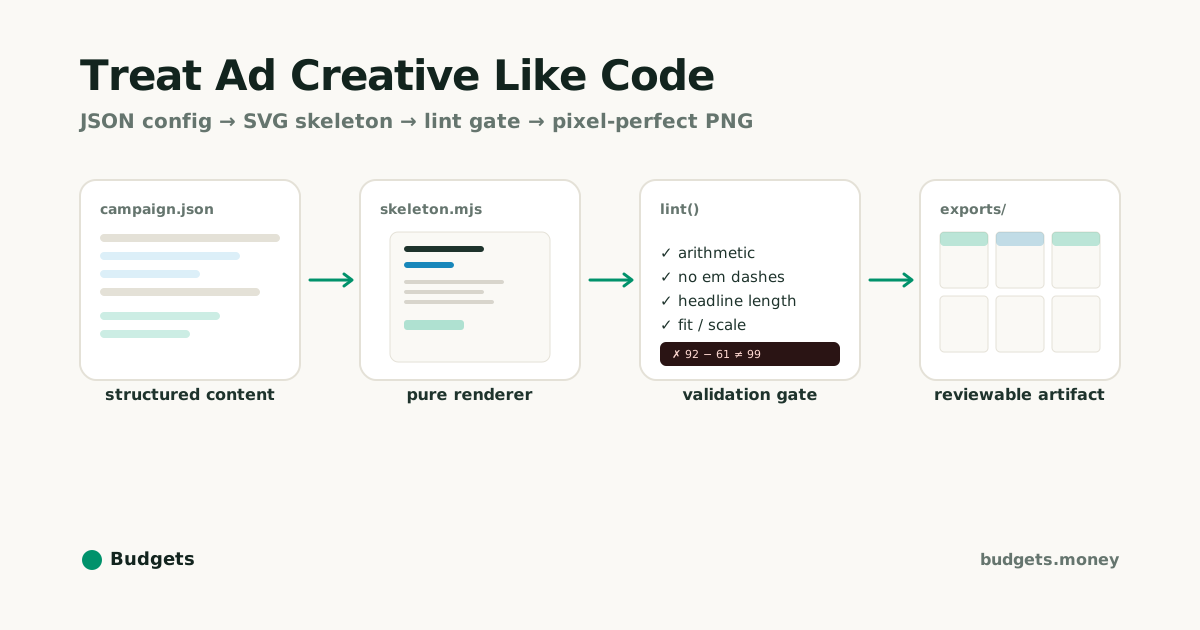
A JSON config describes each ad. A set of pure layout functions turns that config into SVG. A validation gate checks the result before it renders. The output is a folder of PNGs, a contact sheet for review, and a manifest with per-ad attribution URLs.
One command: bun scripts/ads/render.mjs <config>.json. No design tool involved.
Content as data
Each ad is just data. No layout code, no styling, no markup in the campaign file:
{
  "id": "payout-split",
  "skeleton": "payout_split_receipt",
  "headline": "That $92 shift isn't really $92. Budgets does the real math.",
  "copy": {
    "source": { "label": "Saturday shift", "amount": "+$92.00" },
    "deductions": [
      { "label": "Gas", "amount": "-$18.00" },
      { "label": "Taxes set aside", "amount": "-$23.00" },
      { "label": "Bills due this week", "amount": "-$20.00" }
    ],
    "answer": { "label": "Actually yours", "amount": "$31.00" }
  }
}
Want a new ad? Add a copy block. Want a variant for a different audience? Change two numbers. The structure stays fixed; only the data moves.
Skeletons as pure functions
Layout templates — we call them “skeletons” — are plain functions that take a copy block and return SVG. Each one shares a set of design tokens: a paper-and-ink palette where green marks exactly one thing per ad, the number that matters.
Same input always produces the same output. That makes them testable, cacheable, and boring in the best way. You can look at a skeleton and know exactly what it does. No side effects, no surprises.
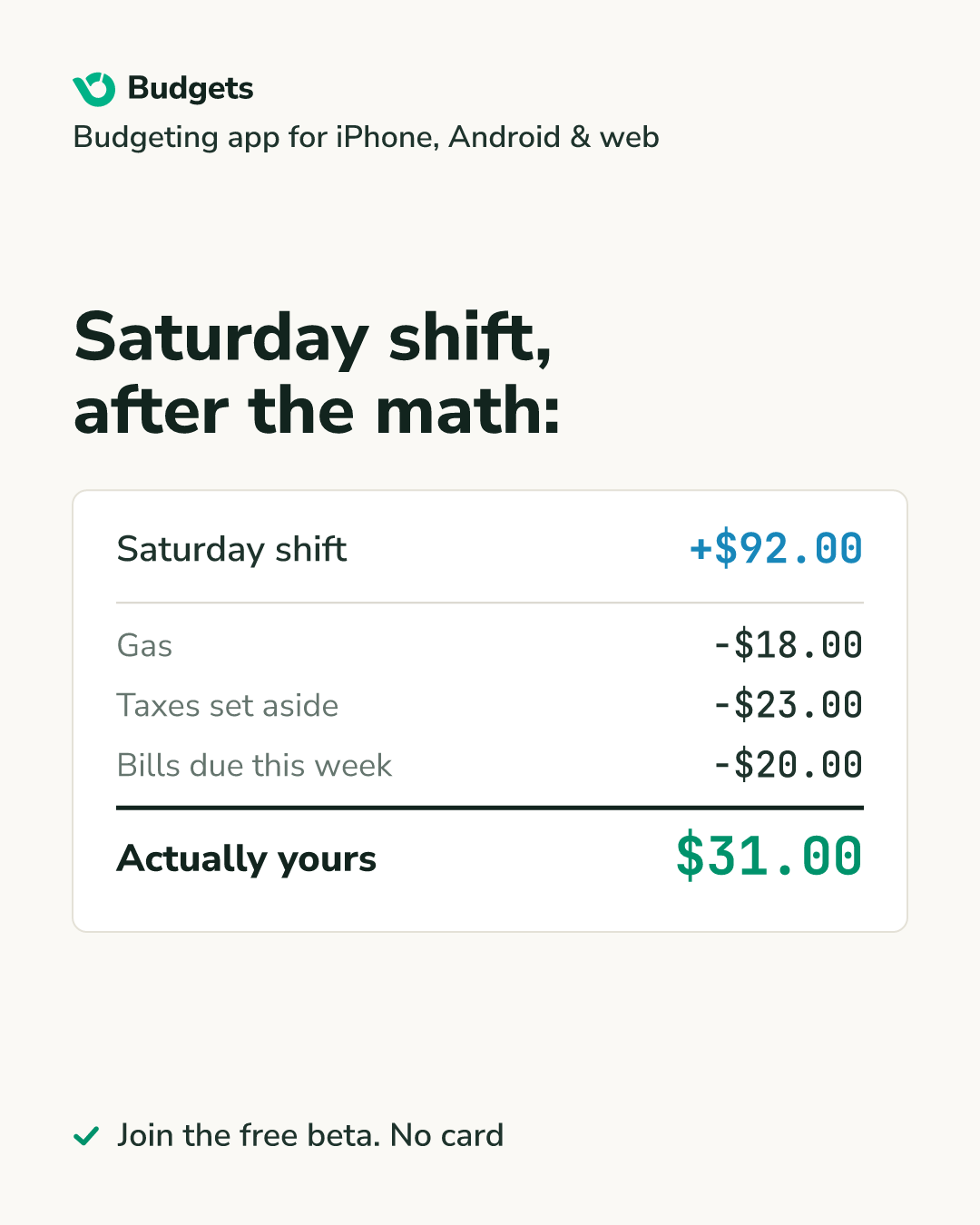
Here’s what the payout-split JSON above compiles to:
The lint gate: bad creative can’t ship
This is the part that makes the whole approach trustworthy. Every skeleton carries its own lint function — validation that lives right next to the layout it protects.
The receipt skeleton, for example, checks that the money actually adds up. Gross minus deductions must equal the answer. If it doesn’t, the function throws and the entire render stops:
payoutSplitReceipt.lint = (copy, warn, fail) => {
  const inflow = amountValue(copy.source.amount); // 92
  const deducted = copy.deductions.reduce(
    (s, d) => s + Math.abs(amountValue(d.amount)),
    0,
  ); // 61
  const answer = amountValue(copy.answer.amount); // must be 31

  if (Math.abs(inflow - deducted - answer) > 0.005)
    fail(`arithmetic mismatch: ${inflow} - ${deducted} ≠ ${answer}`);
};
Try to ship an ad that claims $99 take-home when the real number is $31, and you get:
✗ payout-split/4x5: arithmetic mismatch: 92 - 61 ≠ 99Nothing renders. The error names the ad, the format, and exactly what’s wrong. Fix the JSON, re-run, done.
Beyond arithmetic, the linter checks a few other things: no em dashes in public copy (an AI-text tell), headline length, text-width estimates so copy never silently overflows a layout, and a standing rule that every ad names the platform. Soft issues produce warnings. Hard issues stop the line.
What this unlocks
Once creative is build output rather than a hand-crafted deliverable, a few things become trivial:
- Fan-out is free. A new ad is a copy block, not a design session. Per-subreddit and A/B variants are a few lines of JSON.
- Consistency is automatic. Shared tokens and fixed skeletons mean every ad is on-brand without anyone policing it.
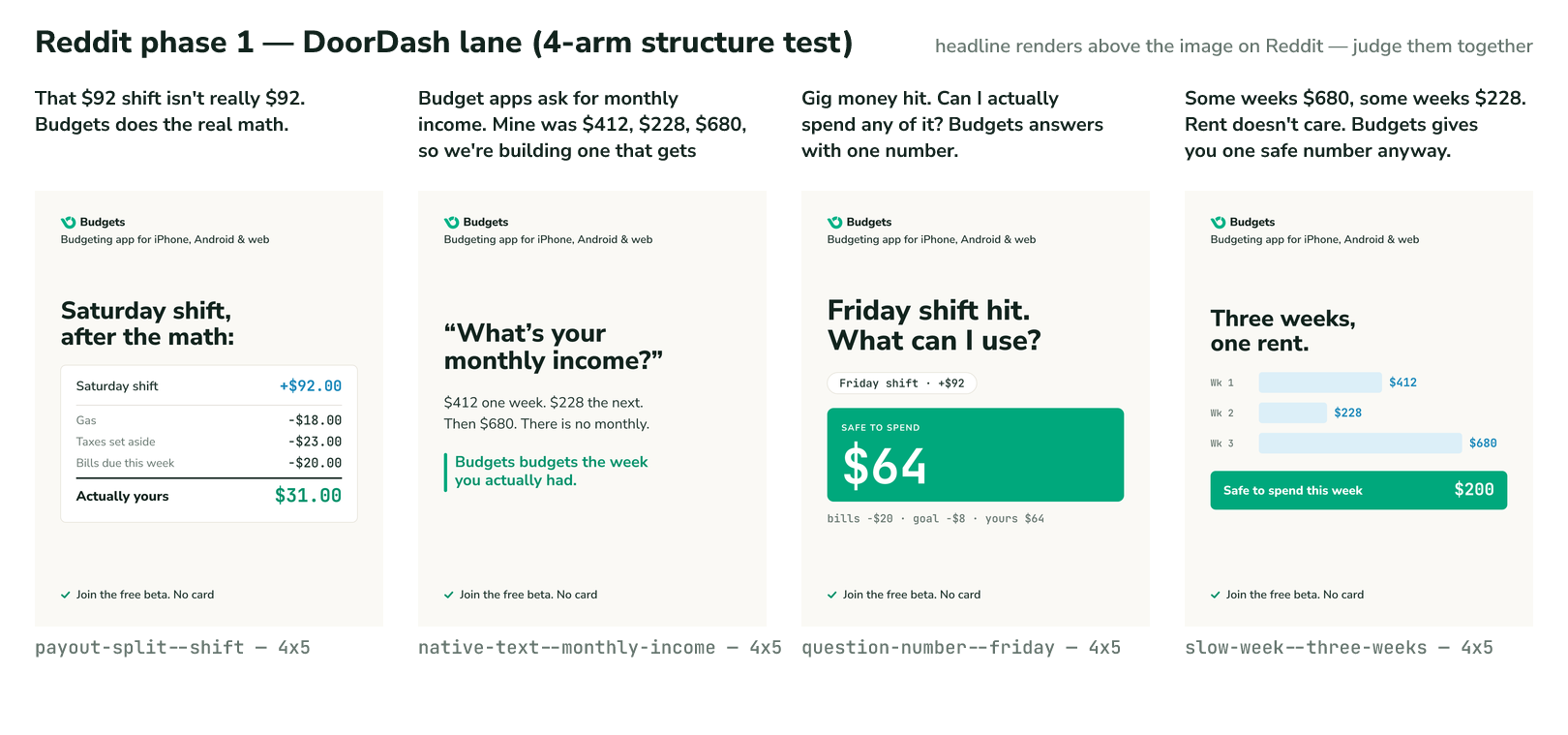
- Review is honest. The contact sheet renders every ad at real mobile feed width with its headline above it — exactly how people actually see it on Reddit. You judge creative, not files.
- Attribution is built in. The manifest emits each ad’s destination URL with a unique
utm_contentparameter, so you can rank creative performance with zero extra wiring. - Everything is diffable. Creative lives in git. You can review an ad campaign in a pull request, revert a bad set of variants, and reproduce any past campaign byte-for-byte.
The pattern generalizes
Nothing here is specific to ads. The shape is:
Structured content → a pure renderer → a validation gate → a reviewable artifact, all in version control.
That maps onto any “templated visual output” problem:
- Social/OG cards — per-post share images generated from frontmatter, with title-length and contrast checks as the lint.
- Invoices and receipts — where “the totals must reconcile” is exactly the kind of hard-fail validation that catches expensive mistakes.
- Email templates — data-driven layouts with link validation and accessibility checks as a build gate.
- Decks and reports — generate slides from a data file so the numbers in the visuals always match the source of truth.
The principles transfer even if the stack doesn’t:
- Keep content as data, not markup.
- Make rendering a pure function — deterministic and testable.
- Treat validation as a build gate, not a manual review step.
- Always emit a human-reviewable artifact so the automation stays legible.
When you treat creative output as a build artifact instead of a hand-crafted deliverable, you get speed, consistency, and trust baked into the pipeline. The ads that ship have correct numbers, on-brand design, and per-ad attribution — because the pipeline refuses to produce anything else. That’s a better workflow than any design tool can give you, and it’s just JSON, SVG, and a lint function.
Budgets is a budgeting app for gig and shift workers — it tells you what’s safe to spend after every deposit.